- Wix
- Push notifications
- Tags
- Guide
Push notifications for any Wix site, with tags for every section
Web push for Wix blogs, news sites, events, bookings and stores: tags that notify visitors only about the pages they follow, repeating campaigns and automations.

Founder, KarachiSol
7 min read
Push notifications are usually sold as a tool for online stores: cart reminders, flash sales, shipping updates. That is a narrow view. A local news site, a church, a yoga studio, a recipe blog and a school all have the same problem as a store. People visit once, like what they see, and never come back unless something reminds them.
Wix sites have a technical catch here. Web push needs a small background file called a service worker, and a Wix site can’t host one at its own address. That rules out most push tools built for other platforms. PushPal was built for Wix to get around it, so the site owner adds no code, no Velo and no file. I built it at KarachiSol, so you know where I stand.
If you only want the setup steps, read How to add push notifications to your Wix site. This post is about what you can do with push once it is on, whatever kind of site you run, and about the feature that makes it work for sites with many sections: tags.
Made for every kind of Wix site
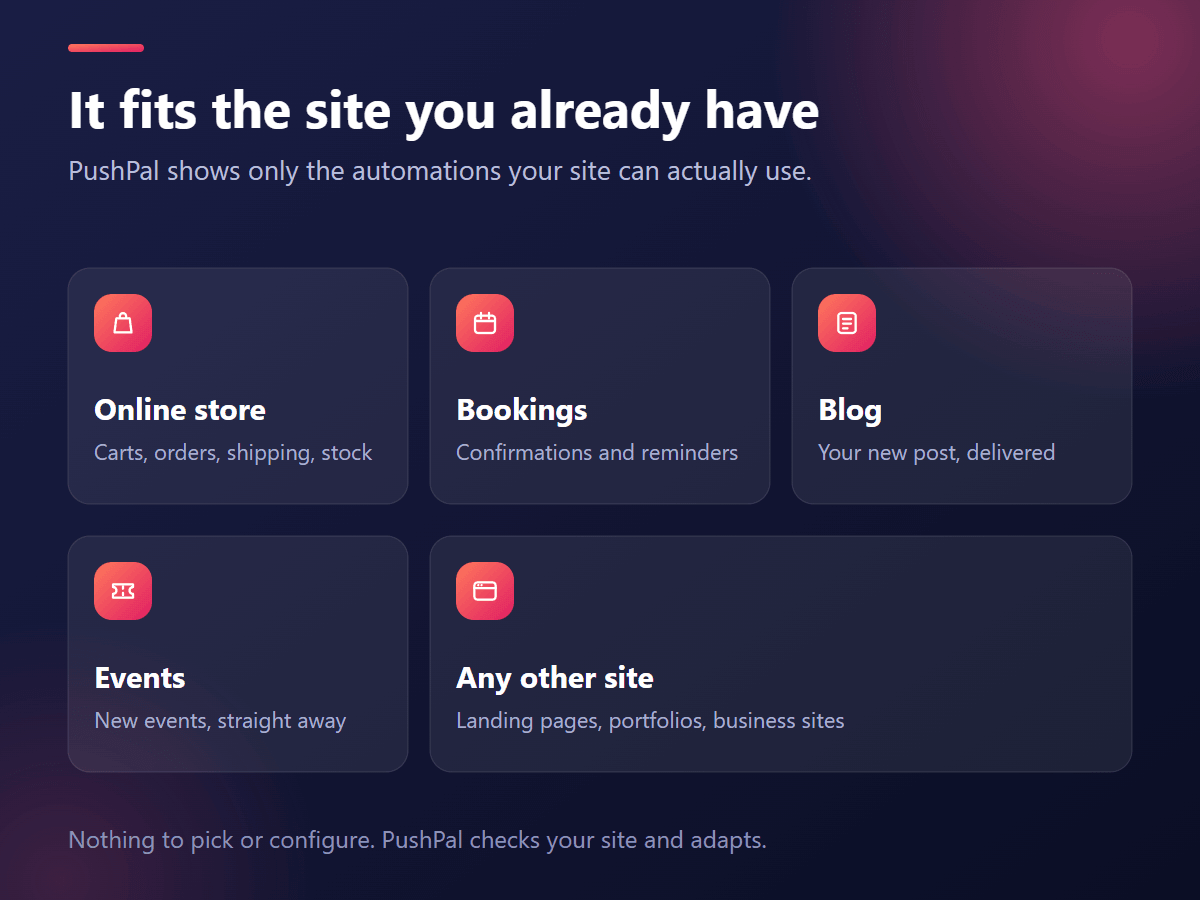
PushPal never asks you to pick a site type. It reads which Wix apps your site already has (Wix Stores, Wix Blog, Wix Events, Wix Bookings) and shows only the automations that fit. A plain site with none of them still gets the core: the opt-in prompt, a welcome notification, campaigns, repeating campaigns and tags.
| Your site | What to send |
|---|---|
| News site or blog | New post alerts, a daily or weekly digest, and updates per section with tags |
| Events, venue or community | An announcement for each new event, plus campaigns for last tickets or changes |
| Salon, clinic, coach or studio | Booking confirmations and appointment reminders that cut no-shows |
| Online store | Abandoned checkout reminders, order and shipping updates, back in stock alerts |
| Portfolio, landing page or school | Announcements, new work, open enrolment and deadlines |
Tags: notifications only for the pages people care about
On a site with many sections, one “subscribe to everything” button is a poor deal. A reader who follows one neighbourhood doesn’t want alerts for the other twenty, and turns them all off after a week. Tags fix that.
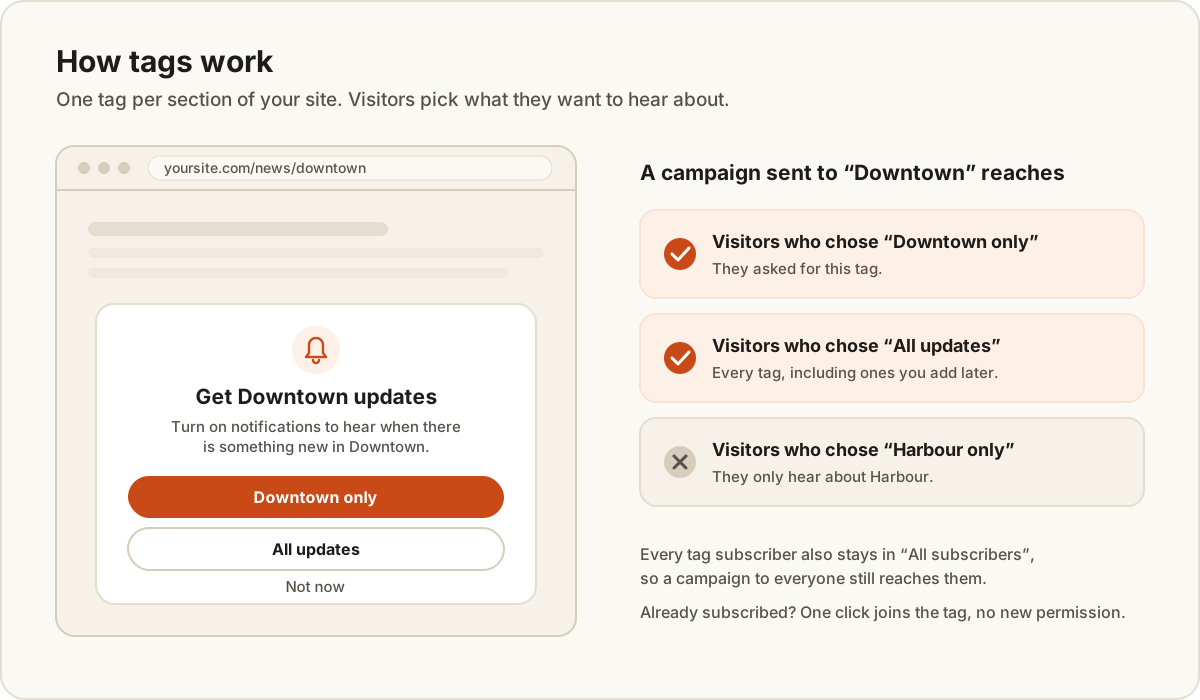
You create a tag in the Tags tab, give it a name and paste the links of the pages it covers. On those pages, and only there, the prompt changes to ask about that tag:
- “Downtown only” subscribes the visitor to that one tag.
- “All updates” subscribes them to every tag, including ones you add later. You can switch this choice off if you only want single-tag subscriptions.
- “Not now” hides the prompt on that page.
A few details make tags pleasant to use:
- A visitor who is already subscribed joins another tag with one click, without a second browser permission prompt.
- Once a visitor has joined a tag, they aren’t asked again on its pages.
- Tag subscribers stay in “All subscribers”, so a campaign to everyone still reaches them.
- Pages match by their path, so links with tracking codes, a trailing slash or different letter case still count.
- The prompt title and text use
{tag}, so one setting reads “Get Downtown updates” on one page and “Get Harbour updates” on the next.
Tags were built for a news site with one tag per local edition, but nothing in them is specific to news. A recipe blog can tag its cuisines, a school its classes, an estate agent its areas, a church its ministries, a store its collections.
Repeating campaigns, one per tag
A repeating campaign goes out on the weekdays you pick, at a set time in a time zone you choose, and follows daylight saving on its own. Send it to any audience, or to each tag: PushPal then sends one notification per tag, puts the tag’s name wherever you wrote {tag}, and links to the tag’s first page unless you set another link.
So a news site with ten editions writes one campaign, “Today in {tag}”, every weekday at 7:00, and each edition’s readers get their own morning alert. Nobody has to send anything by hand.
Automations that match your Wix apps
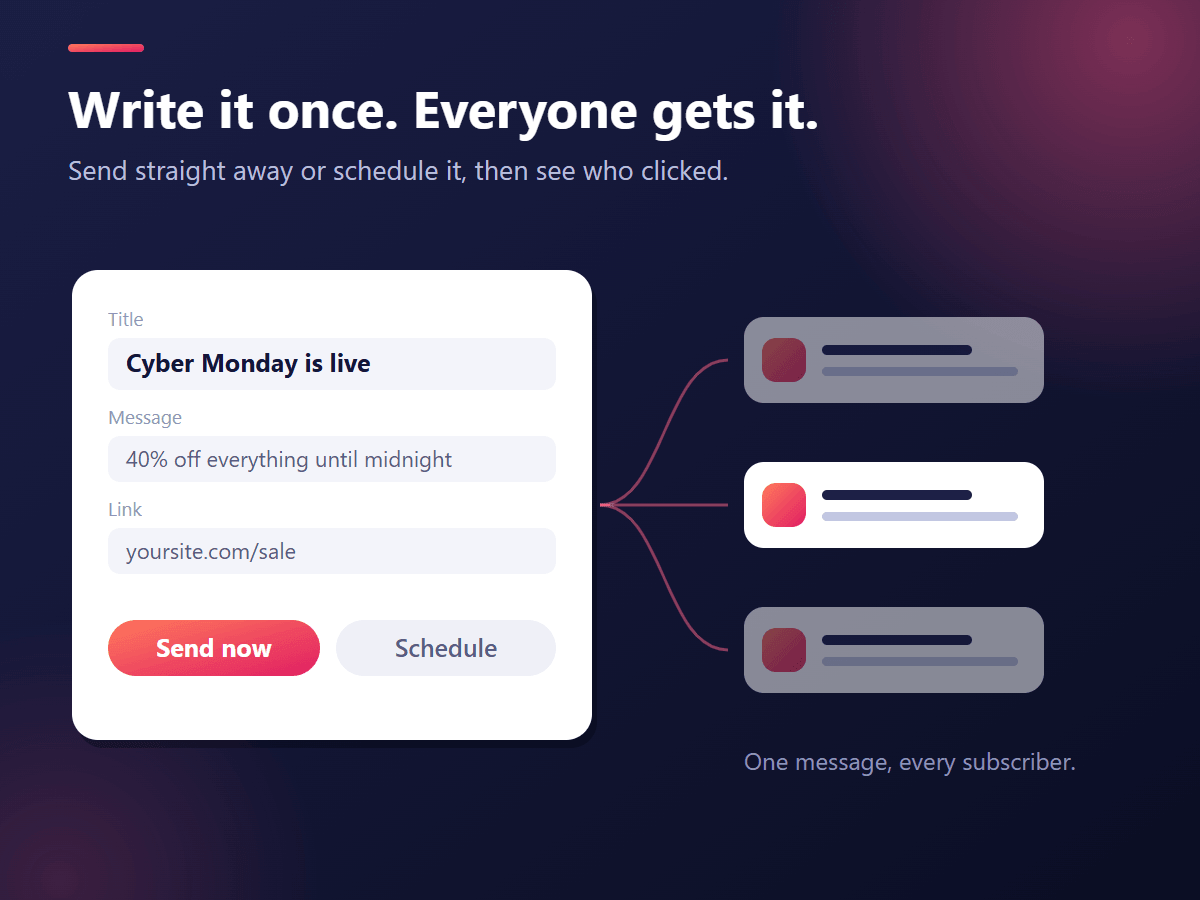
Automations send the right message when something happens on your site. Order and booking messages start on, and broadcast ones start off so you choose:
- Every site: a welcome notification right after someone subscribes.
- Wix Blog: a new post alert to all subscribers when you publish.
- Wix Events: an announcement when you publish a new event.
- Wix Bookings: a booking confirmation, and an appointment reminder 1, 2, 24 or 48 hours before it starts. A rescheduled booking moves its reminder, a cancelled one drops it.
- Wix Stores: order confirmed, order shipped, abandoned checkout reminders that open the buyer’s own checkout, and a “Notify me” button on sold-out products that sends a back in stock alert.
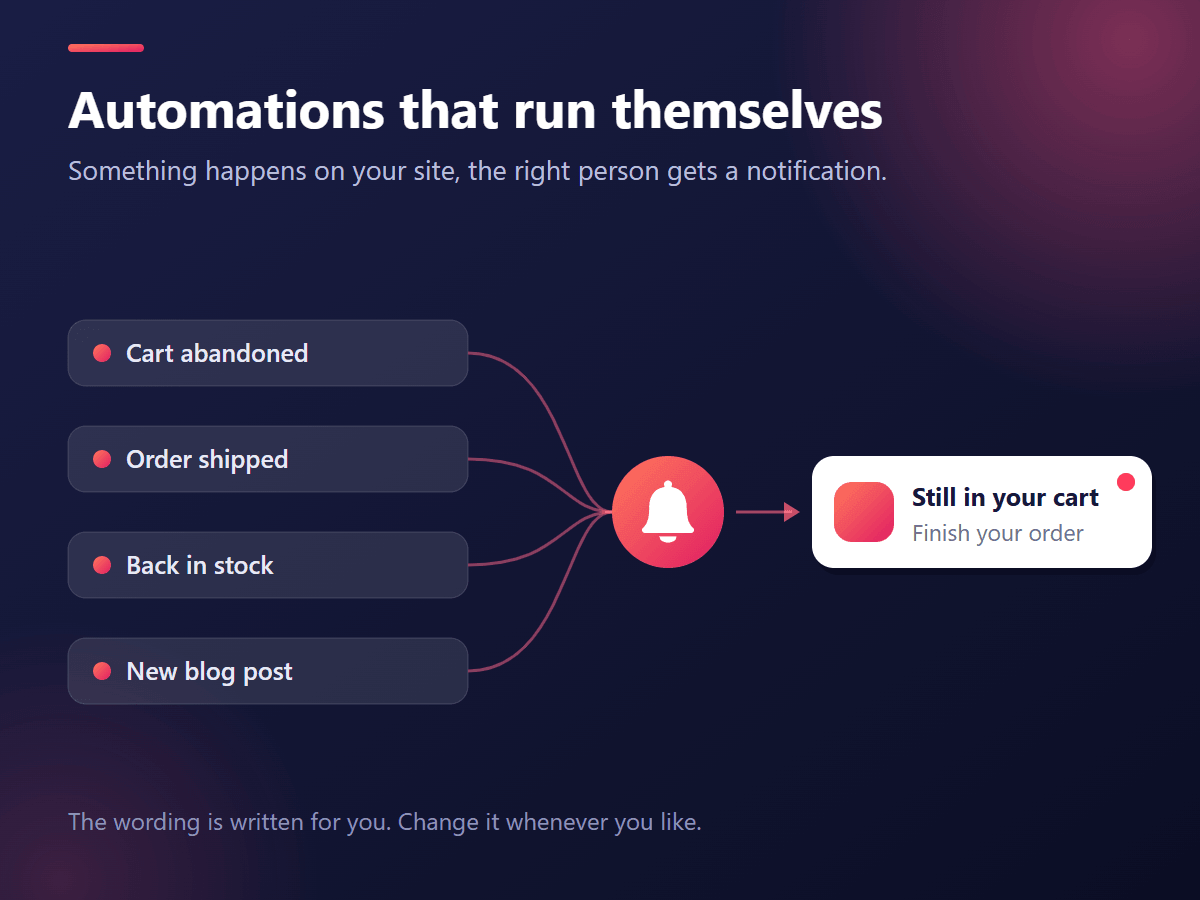
Put it together: three examples
A local news site
One tag per edition. Readers on the Downtown page pick “Downtown only”. New post alerts tell everyone about big stories, a repeating campaign sends each edition its own morning digest, and a one-off campaign to one tag covers a road closure that only matters there.
A studio that takes bookings
The welcome notification thanks new subscribers. Booking confirmations and reminders a day before reduce no-shows. A repeating campaign every Monday points people to the week’s open slots, and a new event alert fills the next workshop.
A small store with a blog
Abandoned checkout reminders recover sales, order and shipping updates save support emails, and “Notify me” keeps the shopper who found their size sold out. Tags on the blog’s categories send style tips only to the people who read them.
Setup in four steps
- Add PushPal from the Wix App Market and start the 30-day free trial.
- Switch push on in the PushPal dashboard. The opt-in prompt goes live on your published site, as a centred box or a bar at the bottom, after the delay you choose.
- Create your tags, if your site has sections, and check the automations for your Wix apps.
- Send a test to your own browser, then your first campaign.
Reports and languages
The Overview tab shows total subscribers, new subscribers this week, notifications sent in the last 30 days and click rate, with a 30-day growth chart. Each campaign shows its own sends, clicks and click rate. The dashboard is available in English, Spanish, Portuguese, French, German, Japanese and Chinese.
Price
One plan with every feature, tags and repeating campaigns included: $4.99 a month, or less when billed yearly, after a 30-day free trial. Check the Wix App Market listing for the current price. If the plan ends, nothing is sent, but your subscribers are kept, so upgrading brings everything back.
What to know before you start
- iPhone and iPad: Apple only allows web push for sites added to the Home Screen, so the prompt hides itself on iOS. Subscribers come from computers and Android phones.
- Multilingual sites: tag pages match by exact path, so a
/fr/version of a page needs its own link in the tag. - “All updates” and each tag: a visitor who chose “All updates” gets one notification per tag when a campaign goes to each tag. With many tags, consider switching that choice off.
Get started
Add PushPal to your Wix site and try every feature free for 30 days. Questions? Email [email protected] and a person who builds PushPal will reply.
Questions
Can I send push notifications from a Wix site that isn't a store?
Can visitors get notifications only for some pages of my Wix site?
Do I need Velo or code to add push notifications to Wix?
Can I schedule a push notification to repeat every week?
How much does PushPal for Wix cost?
Written by
Ubaid Hussain
Founder, KarachiSol
Ubaid founded KarachiSol and builds its apps. He has spent more than six years building web products, from Wix and Shopify apps to business dashboards.
More about Ubaid