Campaigns, now or scheduled
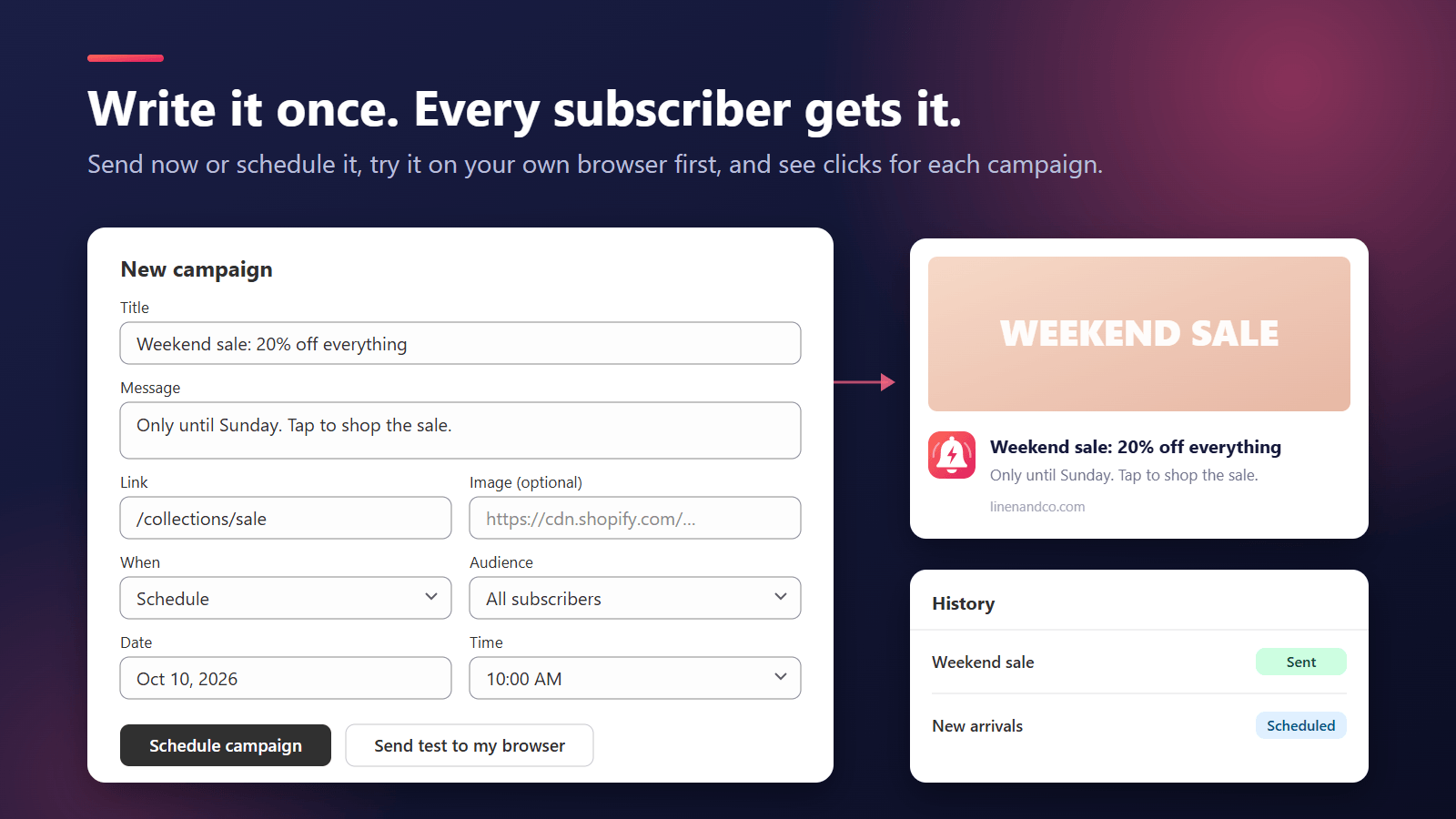
Write a title and message, add a link and image, and send it now or at a set time. Test it in your own browser first.
Bring shoppers back with browser push
PushPal adds browser push notifications to your Shopify store. Shoppers who accept the opt-in prompt get your messages on desktop or Android, even after they leave. Send campaigns now or on a schedule, after a test in your own browser. Automations remind shoppers about products they viewed and carts they left, tell them when a sold-out item is back or a price drops, and keep them posted from order confirmed to delivered.
Coming soon to the Shopify App Store
Get support30-day free trialPrivacy policy
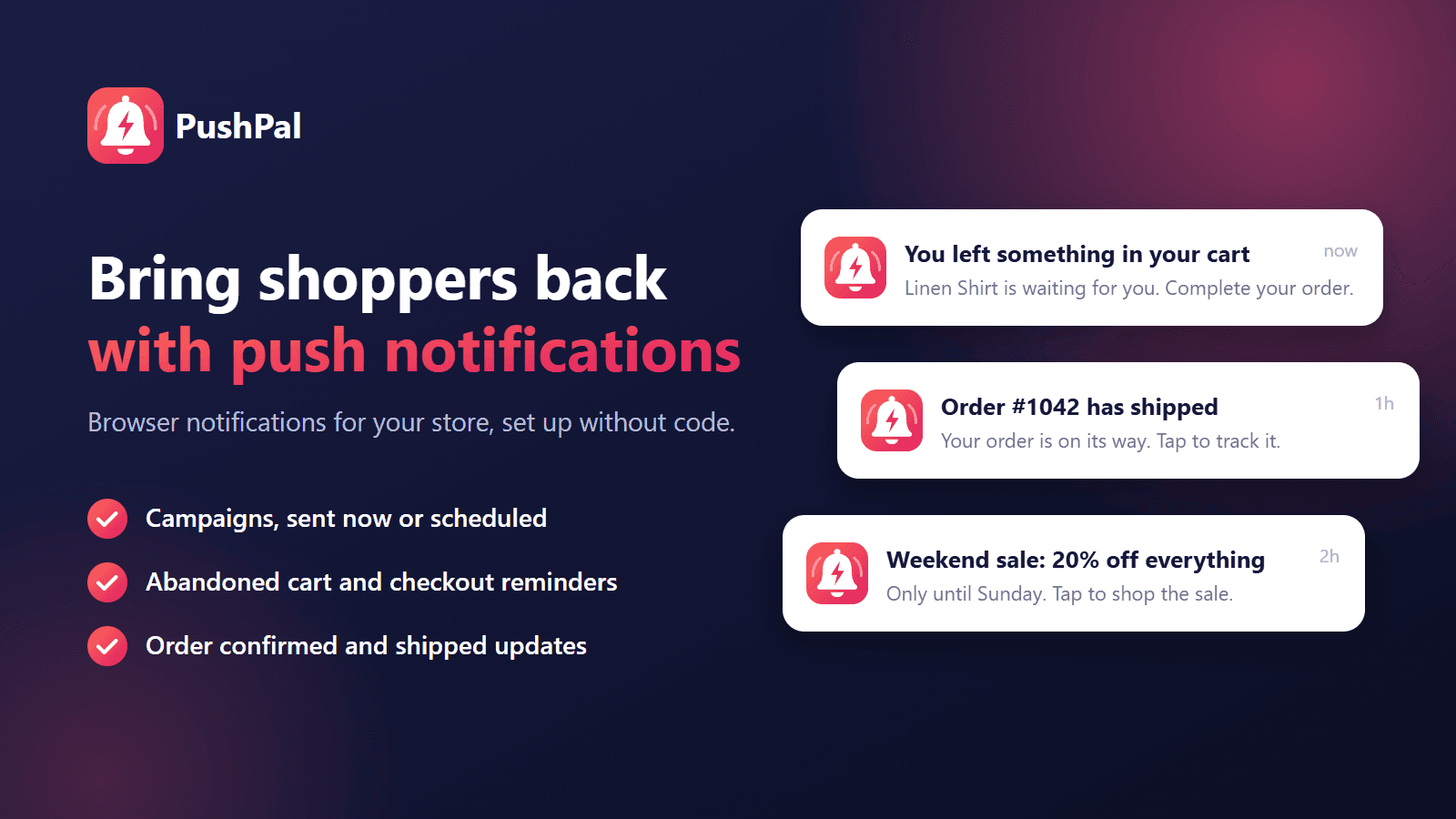
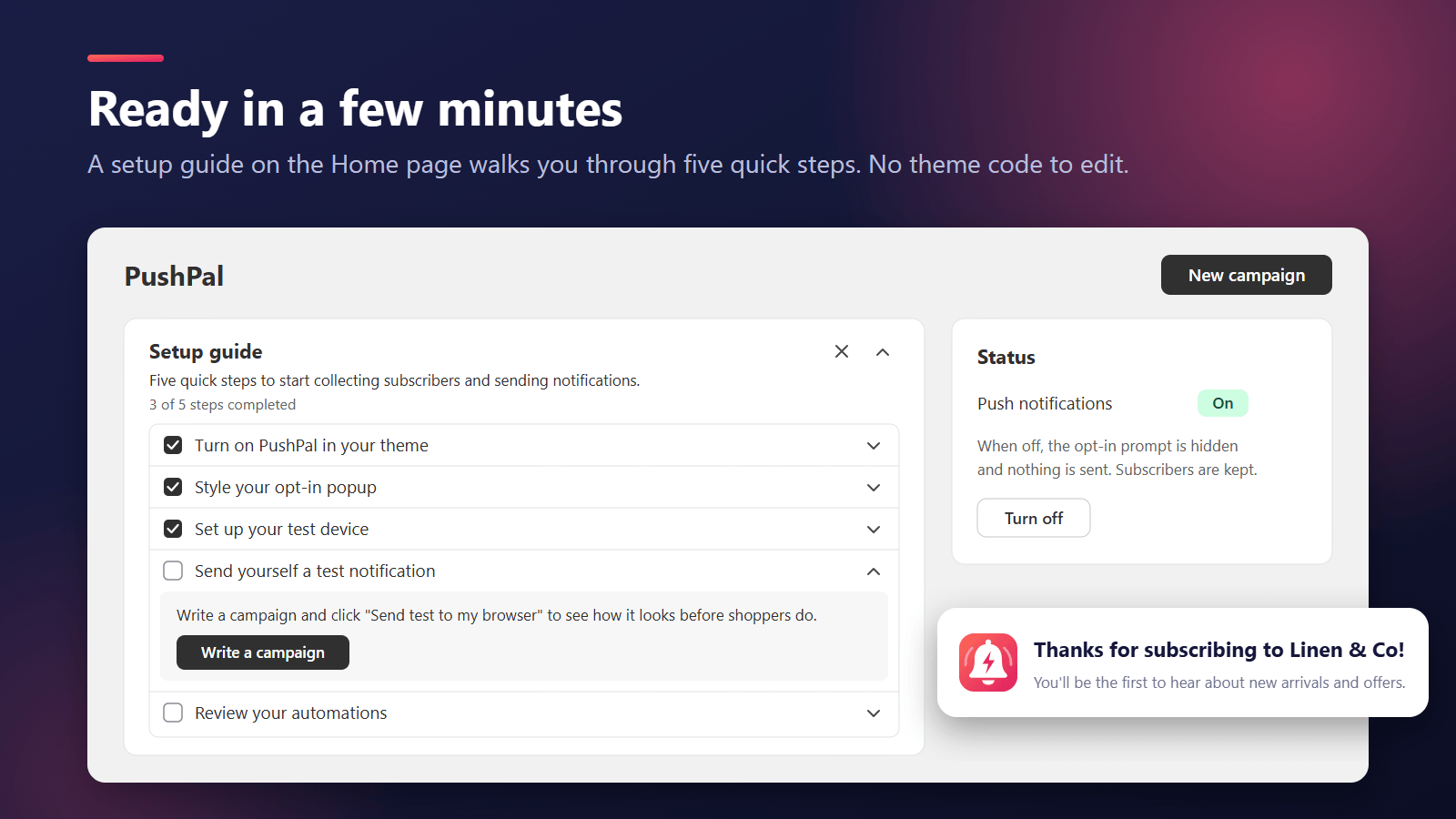
1/6 Home page setup checklist with push notifications turned on
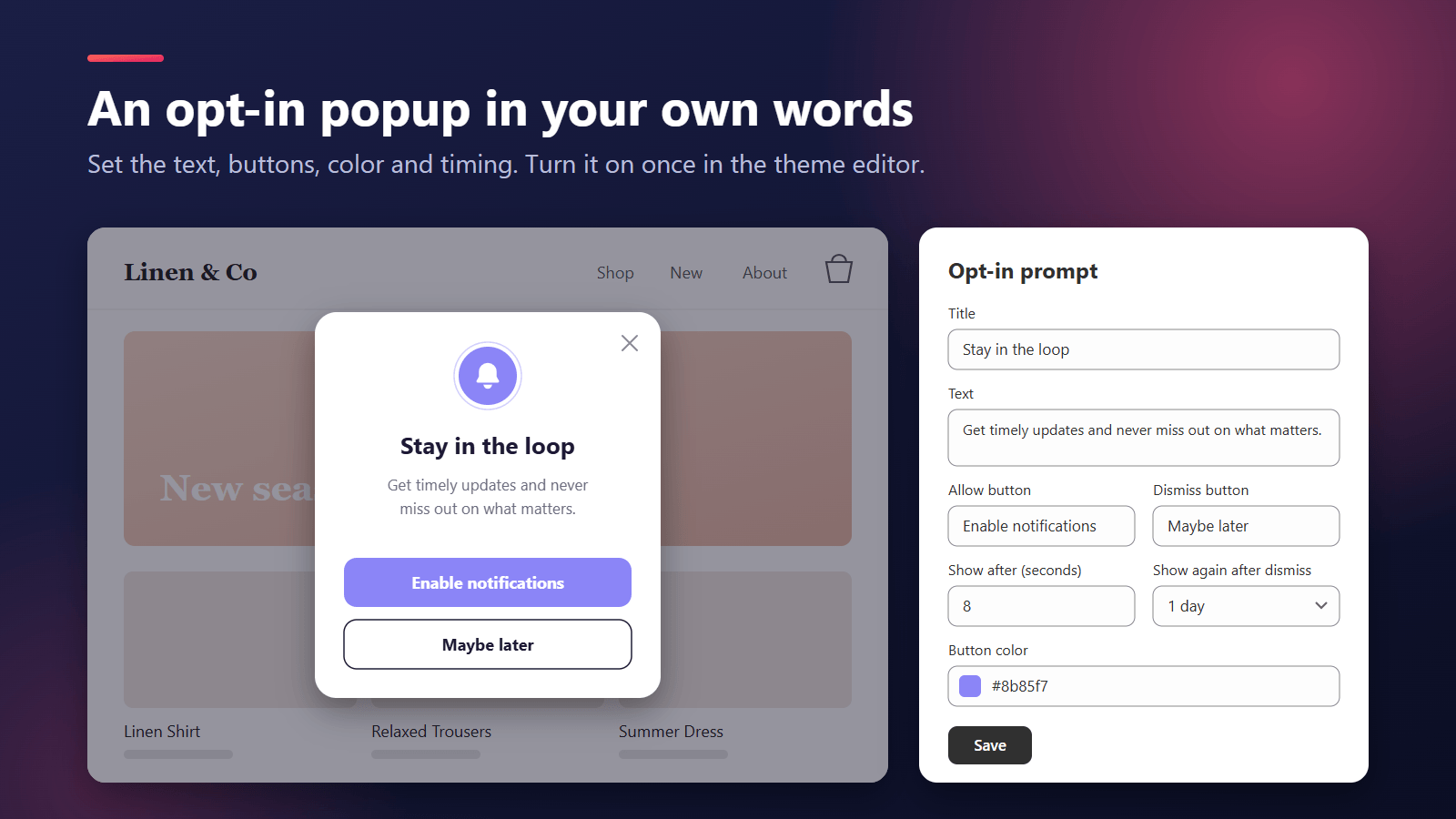
After you turn on the PushPal app embed, a small popup asks shoppers if they want notifications. Shoppers who click Allow in their browser become subscribers. No app to install and no email needed.
Write a title and a message, add a link and an image, and send it now or schedule it. Try it on your test device first: tests never reach shoppers.
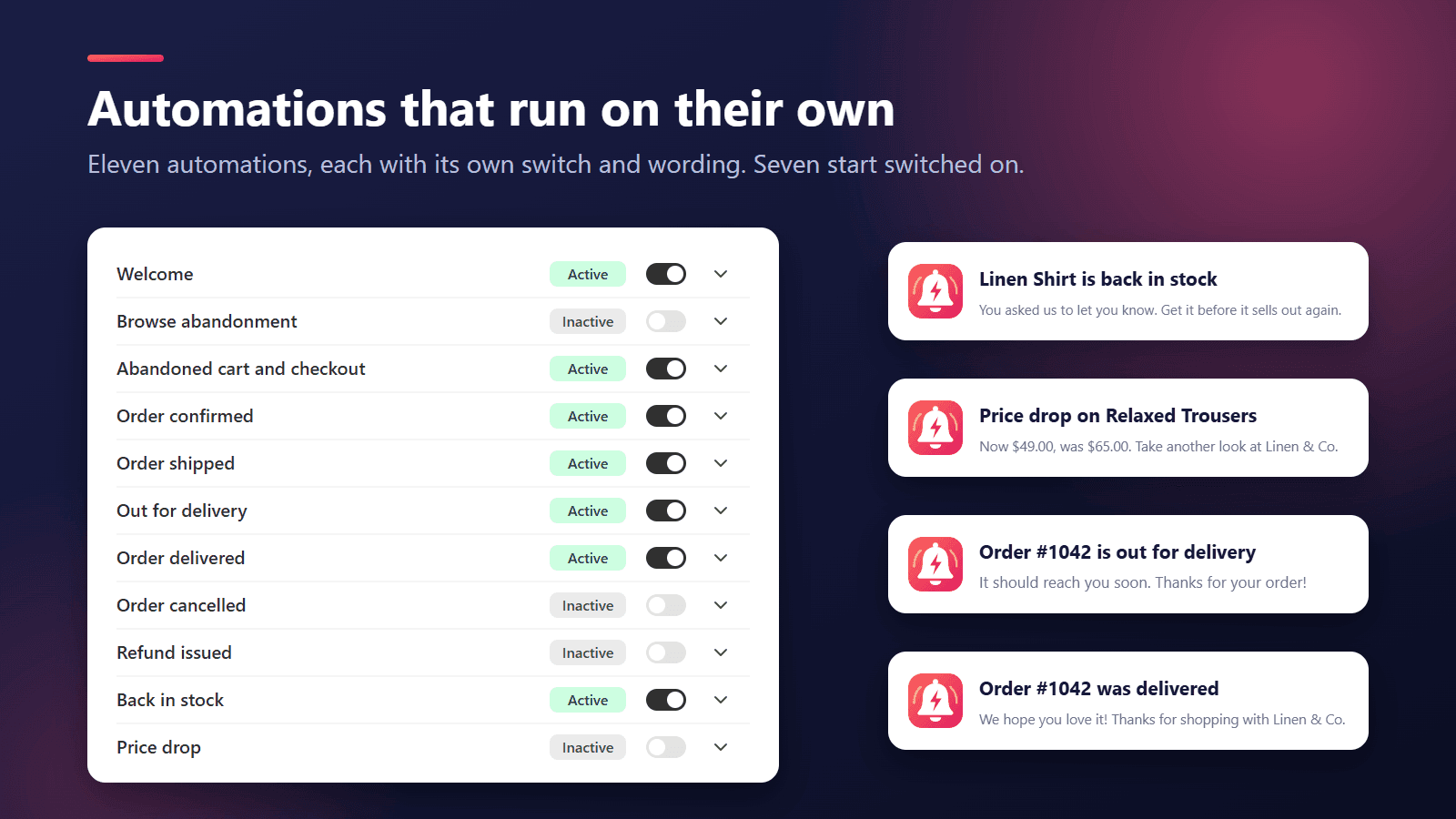
PushPal follows what each subscriber does in your store: it welcomes new subscribers, reminds them about products they viewed and carts or checkouts they left, tells them when a sold-out item is back or a price drops, and keeps them posted on their order.
Quiet hours hold reminders overnight in each shopper's own time zone, and a daily limit caps how many reminders one shopper gets. Order updates are never held back.
Home, Campaigns and Automations show notifications sent, clicks, and the orders and revenue from shoppers who clicked a notification in the 7 days before buying.
Write a title and message, add a link and image, and send it now or at a set time. Test it in your own browser first.
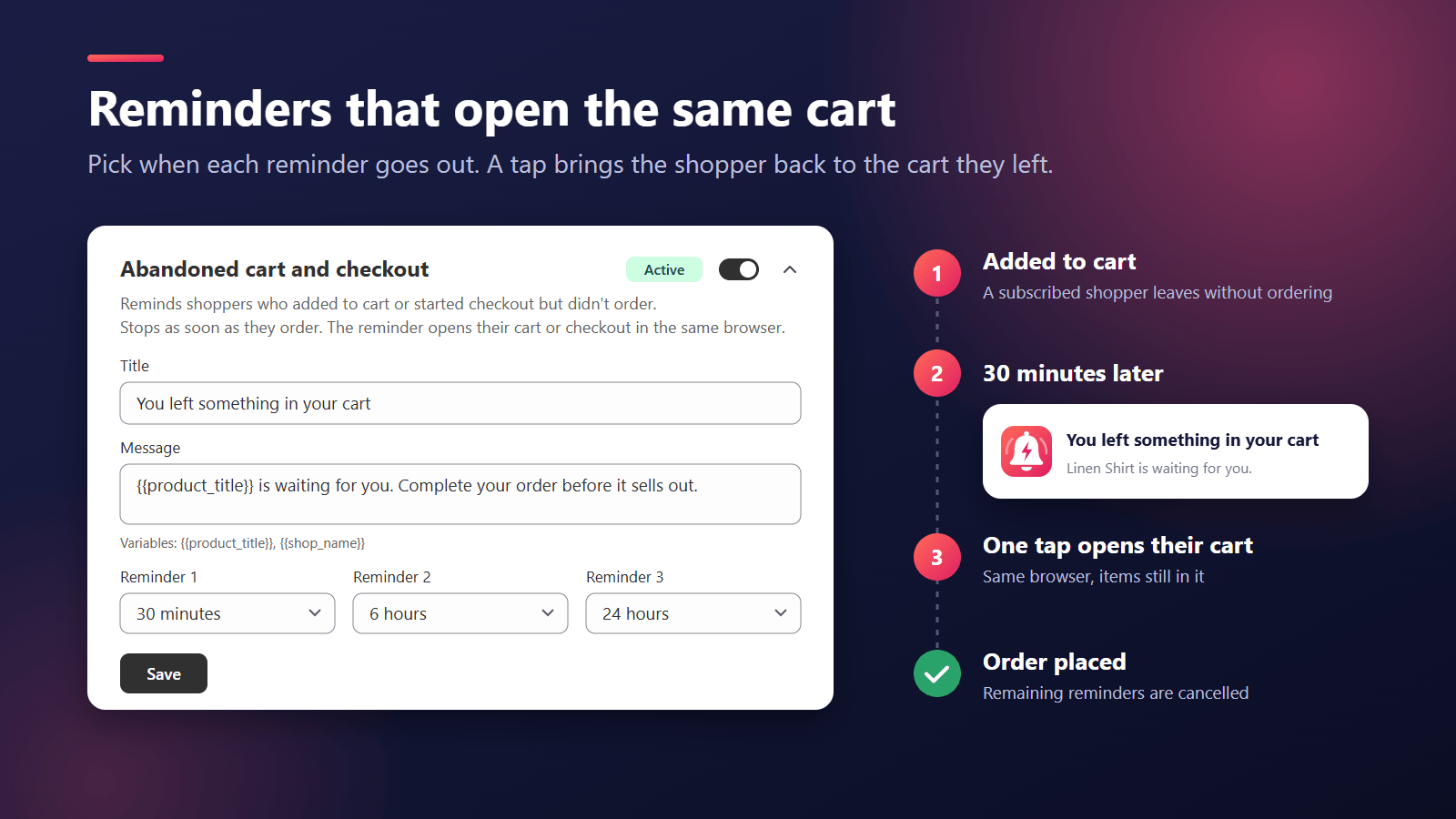
Viewed products, abandoned carts and abandoned checkouts get up to three timed reminders that open the right page.
Shoppers tap "Notify me" on a sold-out variant, and hear about price cuts on products they looked at.
Confirmed, shipped, out for delivery and delivered updates, plus the orders and revenue that came from notification clicks.
Install PushPal from the Shopify App Store and start the free trial.
Turn on the PushPal app embed in your theme editor and click Save. The opt-in popup is live.
Check your automations, then send your first campaign after a test in your own browser.
No. Push notifications are built into modern browsers. Shoppers click Allow once and get your notifications on their computer or Android phone, even after they leave your store.
Chrome, Edge, Firefox and Opera on computers and Android phones, and Safari on Mac. The popup only appears in browsers that support push, so no shopper sees a button that doesn't work.
Not yet in a normal Safari tab. Apple only allows web push on iPhone and iPad (iOS 16.4 and later) for sites added to the Home Screen. A Home Screen guide for your shoppers is planned. Until then the popup doesn't show on iPhone and iPad.
No. Turn on the PushPal app embed in the theme editor and click Save. The "Back in stock button" is an app block you add to your product page template, also from the theme editor.
The storefront script is small and loads after your page. The notification service only loads after a shopper clicks Allow.
Shoppers see the popup after a few seconds on your store (you choose the delay). If they click "Maybe later", it comes back after the number of days you set. Shoppers who blocked notifications in their browser, or use iPhone or iPad, don't see it. A clear, friendly popup message helps.
Reminders go only to subscribers who allowed marketing in your store's cookie banner. They also wait for quiet hours to end and stop at the daily limit. Placing an order cancels pending reminders. If reminders never arrive, click "Reconnect cart tracking" on Home.
Add the "Back in stock button" block to your product page. On a sold-out variant, subscribers can click "Notify me" and get a notification when it's back. Price drop alerts go to subscribers who viewed or added a product to their cart in the last 30 days, when its price falls below what they saw.
An order counts when the shopper clicked one of your notifications in the same browser within the 7 days before buying. Each order counts once, for the last notification clicked.
Your own browser, linked from Settings. "Send test to my browser" sends only to it, so you can check a notification before shoppers see it.
Yes. You write the text, so you can write it in any language. Separate versions per language aren't available yet.
Notifications stop right away. Shopify asks us to delete your store's data 48 hours after you uninstall, and PushPal deletes it then. Shopper data requests and deletions from Shopify are handled automatically.
Yes, 30 days with every feature. Current plans and prices are shown on the Shopify App Store listing.
Click "Chat with us" on PushPal's Help page in your Shopify admin, or email [email protected]. A person who works on PushPal will reply.
Last updated 4 October 2026
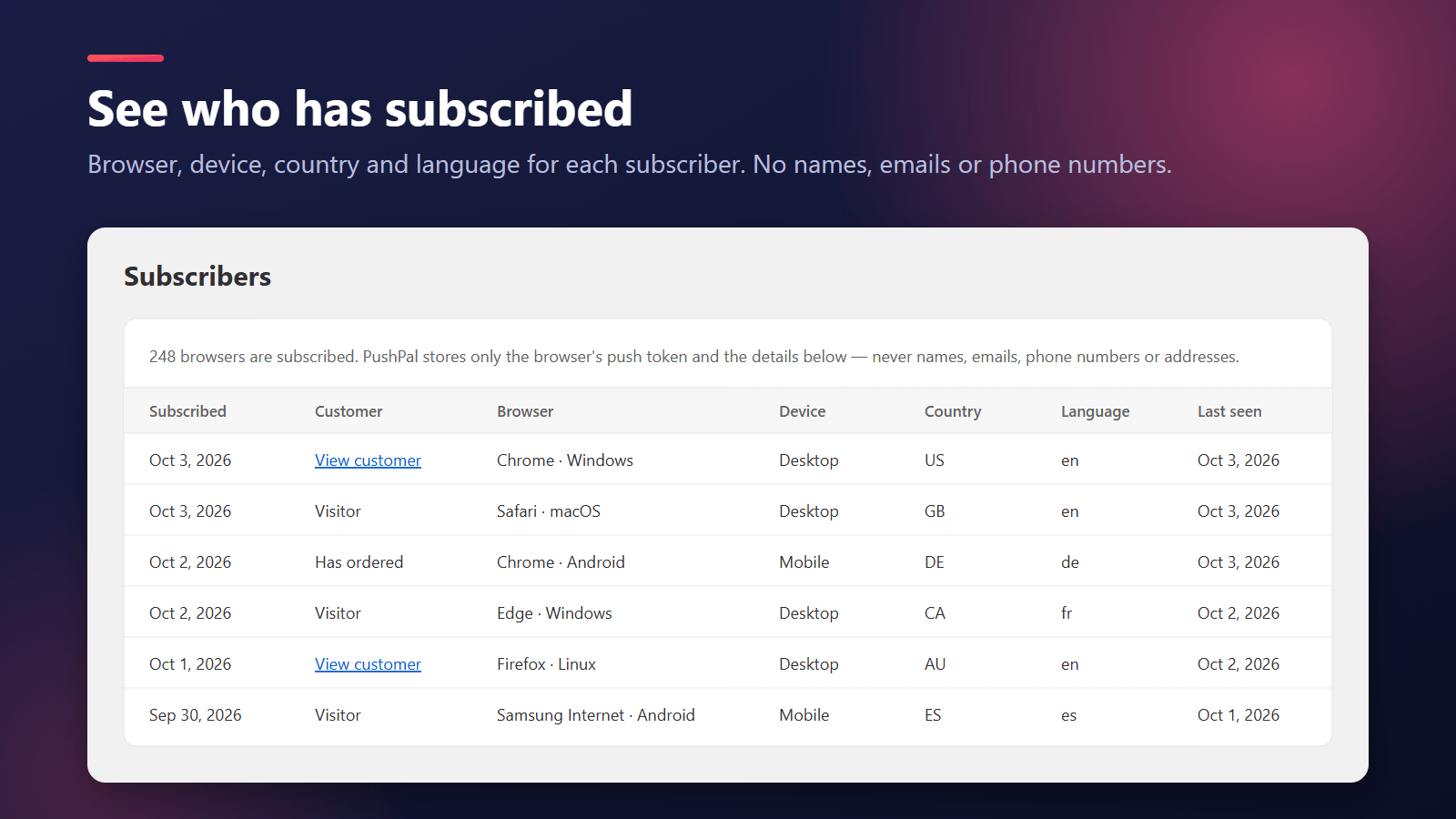
PushPal lets Shopify merchants send browser push notifications to shoppers who opt in. KarachiSol processes the data below to provide the app. For shoppers' data, the merchant decides to use PushPal and we process it on the merchant's behalf.
This section covers what is specific to PushPal for Shopify. Everything else, including your rights, our legal bases, service providers, transfers, security and how to contact us, is in our privacy policy.
Coming soon to the Shopify App Store